
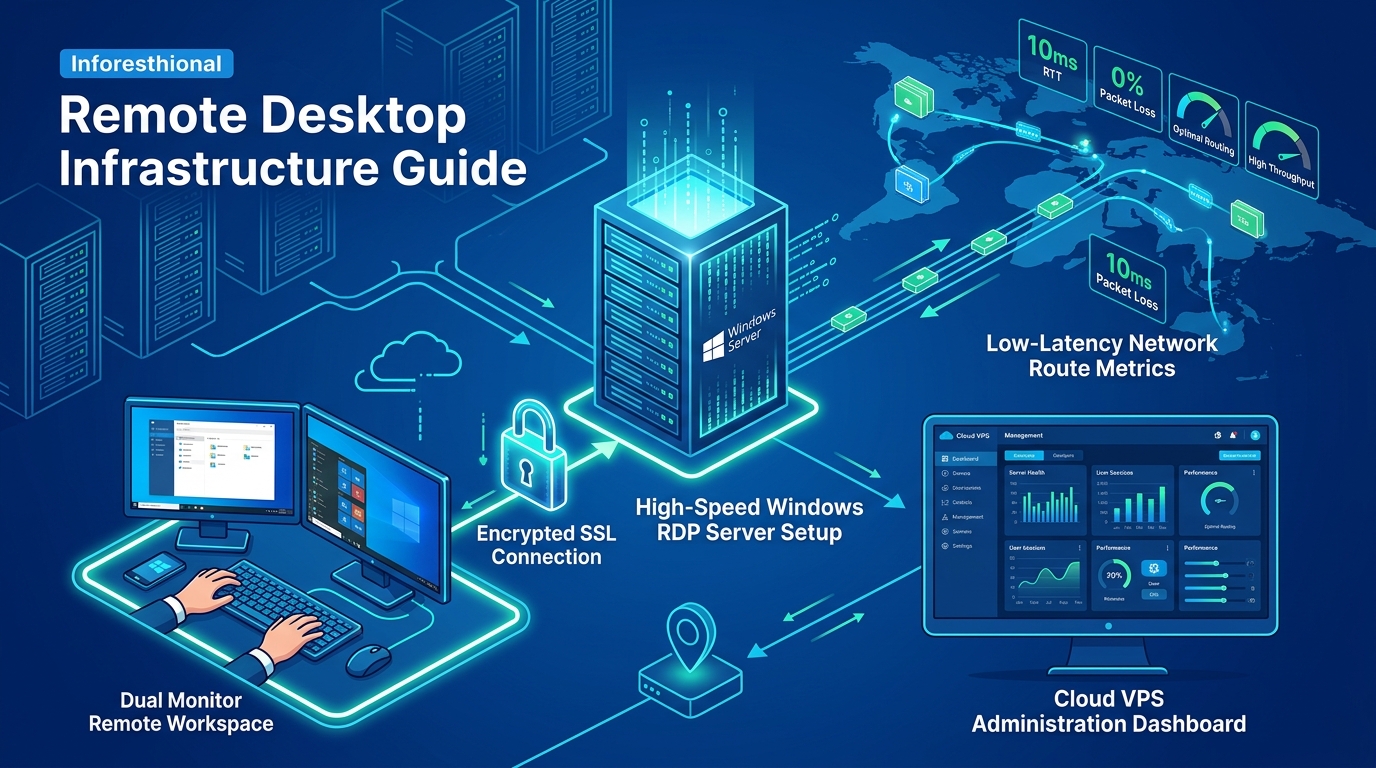
Pakistan’s Business Process Outsourcing (BPO) and IT sector has grown exponentially, fueled by a talented workforce and competitive operational costs. However, as teams become increasingly distributed across cities like Lahore, Karachi, and Islamabad, the traditional perimeter defense model is no longer sufficient.
For BPO operations, securing client data is paramount to maintaining trust and complying with data protection standards such as the Pakistan Information Security Framework (PISF) and international regulations like GDPR or HIPAA. This guide provides a deep-dive, step-by-step approach to setting up a highly secure Corporate VPN and Remote Desktop (RD) Gateway infrastructure.
Why You Need Both a VPN and an RD Gateway
A common—and dangerous—mistake made by early-stage BPOs is exposing Remote Desktop Protocol (RDP) port 3389 directly to the public internet. This invites automated brute-force attacks and ransomware deployments within minutes.
To achieve a true “defense-in-depth” architecture, you need:
- Remote Access VPN: Creates an encrypted tunnel (using IPsec or SSL/TLS) between the remote employee’s device and the corporate network.
- Remote Desktop Gateway: Acts as a broker that encapsulates RDP traffic inside HTTPS (port 443).
- Layering: Placing the RD Gateway behind the corporate VPN ensures that even if a zero-day vulnerability is found in the gateway, it cannot be exploited from the public internet.
When orchestrating these enterprise-grade security layers, standard shared hosting or low-resource virtual machines will struggle to handle the encryption overhead of hundreds of concurrent agents. Deploying large-scale corporate VPN infrastructure and high-concurrency RD Gateways requires the unmetered bandwidth, multi-core power, and complete isolation of bare-metal Dedicated Servers in Pakistan.
Step 1: Deploying the Foundation
To support a distributed workforce, we recommend building this infrastructure on robust, highly available hardware. If your team is growing rapidly, you might need bare metal. Explore our premium Dedicated Servers for the heavy lifting, or start with high-performance NVMe VPS nodes if you are running a leaner operation.
Architecture Overview
- Edge Firewall / VPN Server: pfSense or OPNsense (deployed on a dedicated node or high-end VPS).
- Windows Server (Active Directory / DNS): Handles authentication.
- Windows Server (RD Gateway): Proxies RDP connections.
- Target Workstations/Virtual Desktops: The machines agents will connect to.
Step 2: Configuring the OpenVPN / WireGuard Tunnel (pfSense)
Using pfSense as your edge firewall provides enterprise-grade VPN capabilities without enterprise licensing costs.
Setting up WireGuard (Recommended for lower latency)
- Navigate to VPN > WireGuard in your pfSense dashboard.
- Create a new Tunnel. Generate a private and public key pair.
- Assign an interface to the WireGuard tunnel and set a static IPv4 network (e.g.,
10.10.10.1/24). - Set up firewall rules under Firewall > Rules > WireGuard to allow traffic from the WireGuard subnet to your internal LAN subnet where the RD Gateway resides.
- Create Peers (Clients) for your BPO agents.
Optimization Tip for Pakistan: ISP routing in Pakistan can sometimes be unpredictable. WireGuard’s stateless nature handles intermittent packet loss or IP roaming (e.g., an agent switching from 4G backup to fiber) much better than traditional OpenVPN UDP tunnels.
Step 3: Implementing the Remote Desktop Gateway
Once the VPN is established, we configure the RD Gateway.
- Install Roles: On your Windows Server 2022 instance, use Server Manager to add the Remote Desktop Services role, specifically selecting Remote Desktop Gateway.
- Obtain an SSL Certificate: Even though the gateway is behind a VPN, configuring an SSL certificate (via Let’s Encrypt / Certbot or a commercial CA) ensures the RDP traffic encapsulation is secured. Bind this certificate to port 443 in the RD Gateway Manager.
- Configure Connection Authorization Policies (RD CAPs):
- Define who can connect. Create a user group in Active Directory (e.g.,
BPO_Agents_Remote). - Mandate that clients use smart cards or require passwords. Crucial: Integrate a Multi-Factor Authentication (MFA) provider like Duo Security or Azure MFA at this stage. Passwords alone are not enough.
- Define who can connect. Create a user group in Active Directory (e.g.,
- Configure Resource Authorization Policies (RD RAPs):
- Define what they can connect to. Limit the
BPO_Agents_Remotegroup to only access specific internal IP ranges or an AD group containing the target workstation computer accounts. Never allow access to the entire network.
- Define what they can connect to. Limit the
Step 4: Hardening and Zero Trust Principles
A VPN + RD Gateway is a strong start, but modern BPOs must adopt Zero Trust Network Access (ZTNA) principles:
- Enforce NLA: Ensure Network Level Authentication (NLA) is strictly enforced via Group Policy on all target machines. This requires authentication before a full RDP session is established.
- Disable Split Tunneling: On your VPN client configuration, route all traffic through the corporate firewall. This ensures that remote agents cannot browse the web locally (potentially downloading malware) while connected to the corporate environment.
- Micro-segmentation: Place the RD Gateway in a DMZ-like VLAN. The Gateway should only be able to communicate with the domain controller (for auth) and the specific VLAN containing the agent workstations via port 3389.
- Disable Local Drives & Clipboard: Prevent data exfiltration by modifying the RD Gateway properties and Group Policy to disable clipboard redirection, local drive mapping, and printer redirection. Client data must never leave the secure VDI environment.
Step 5: Monitoring and Auditing
Compliance in the BPO industry (such as PCI-DSS for payment handling) requires rigorous auditing.
- Forward Windows Event Logs (Security) from the RD Gateway and Active Directory servers to a centralized SIEM (like Wazuh or Splunk).
- Monitor Event ID
4624(Successful Logon) and4625(Failed Logon) for anomalies. - Set up alerts for logins occurring at unexpected times or from unexpected subnets.
Conclusion
Building a secure remote access infrastructure for your BPO in Pakistan is not just an IT task; it is a critical business enabler. By combining the encrypted transport of a modern VPN with the controlled, auditable access of an RD Gateway—all hosted on powerful, locally-hosted infrastructure—you can guarantee high performance for your agents and total data security for your clients.
