
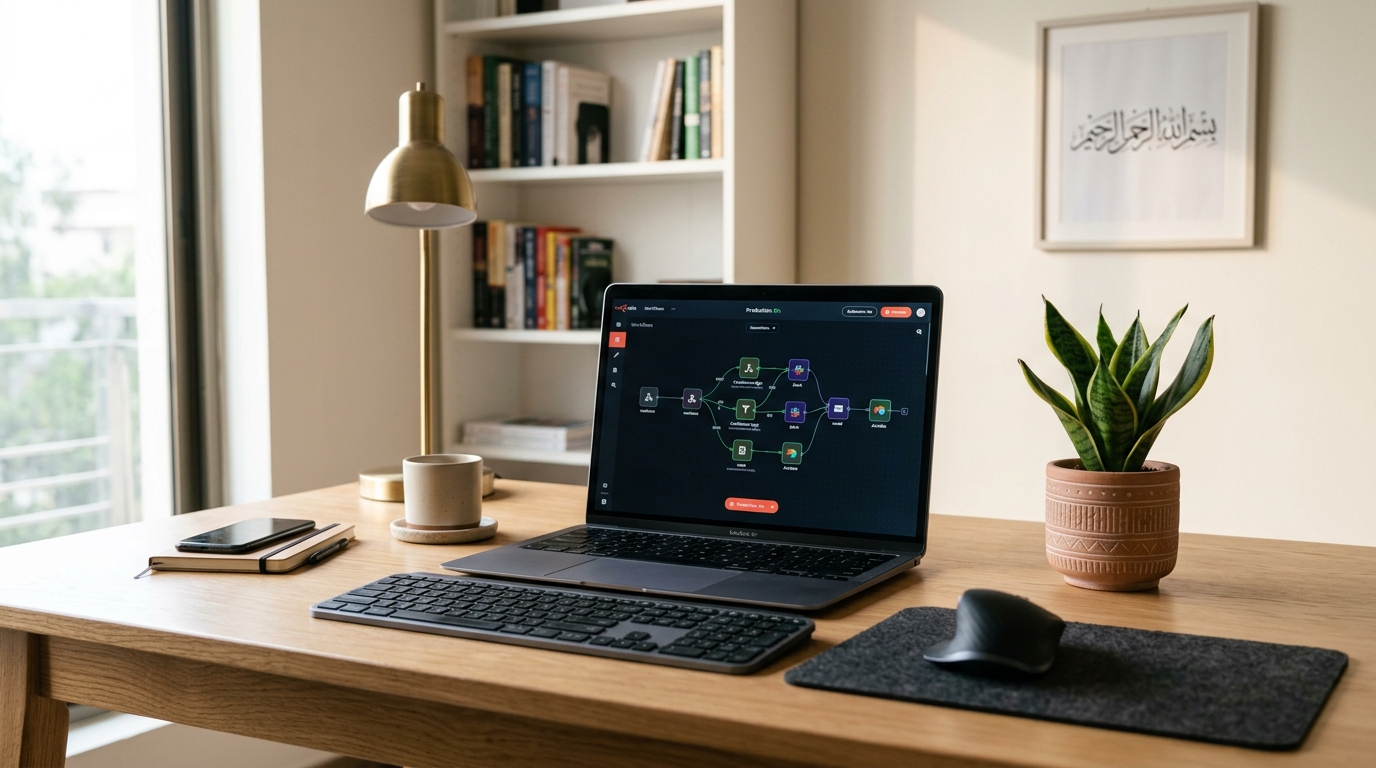
If you run a digital agency, manage client accounts on Upwork or Fiverr, operate an e-commerce store, or handle any kind of repetitive digital task — you’ve probably heard of n8n. It’s a powerful, open-source workflow automation tool that lets you connect 400+ apps and services, build custom logic with code nodes, and run complex automations without paying per-execution fees.
The catch? Most Pakistani freelancers and businesses rely on Zapier or Make (formerly Integromat), spending thousands of rupees monthly on credits that expire. Self-hosting n8n on a Linux VPS in Pakistan costs a fraction of that — and gives you complete control, unlimited executions, and the ability to handle data locally without sovereignty concerns.
This guide walks you through everything: choosing the right VPS specs, setting up Docker, deploying n8n with PostgreSQL and Nginx, securing your instance, and building production-grade automations that run 24/7.
Why n8n Over Zapier or Make for Pakistani Users?
| Feature | Zapier | Make (Integromat) | Self-Hosted n8n |
|---|---|---|---|
| Monthly cost (heavy use) | $49–$299/mo USD | $29–$99/mo USD | ~$5–$15 VPS/mo |
| Execution limits | Hard cap per plan | “Operations” credits | Unlimited |
| Data stays in Pakistan | No | No | Yes |
| Custom code nodes | Limited | Limited | Full JS/Python |
| Webhook latency | 100–500ms | 200–800ms | <10ms (local VPS) |
| WhatsApp Business API | Workarounds only | Limited | Direct integration |
For Pakistani teams, the local-data advantage is increasingly important as PTA and the SBP tighten data residency requirements for fintech and e-commerce operators. Running n8n on a VPS in Pakistan means sensitive customer or financial data never leaves the country.
Choosing the Right Linux VPS Specifications
n8n is surprisingly lightweight for simple workflows but can be RAM-hungry when running AI-powered nodes or parallel executions. Here’s a practical sizing guide:
Minimum Specs (Solo freelancer, <50 workflows)
- CPU: 2 vCPUs
- RAM: 2 GB
- Storage: 20 GB NVMe SSD
- OS: Ubuntu 22.04 LTS
Recommended Specs (Agency or small business, 50–200 workflows)
- CPU: 4 vCPUs
- RAM: 4–8 GB
- Storage: 40–80 GB NVMe SSD
- OS: Ubuntu 22.04 or 24.04 LTS
High-Volume / AI Workflows (200+ workflows, AI nodes, large data processing)
- CPU: 8+ vCPUs
- RAM: 16 GB+
- Storage: 100 GB+ NVMe SSD
For high-volume automation workloads where multiple workflows run concurrently — or where you need to guarantee uptime SLAs for client-facing integrations — consider upgrading to Dedicated Servers, which provide bare-metal performance without CPU and RAM sharing.
Pro Tip: NVMe SSD is non-negotiable. n8n writes execution logs to its database constantly. Spinning-disk VPS instances will show noticeable lag in the editor and slower webhook response times.
Step 1: Initial VPS Hardening
Connect to your fresh Ubuntu VPS as root, then immediately create a non-root sudo user:
adduser n8nadmin
usermod -aG sudo n8nadmin
# Copy SSH keys to new user
rsync --archive --chown=n8nadmin:n8nadmin ~/.ssh /home/n8nadmin
Disable root SSH login and password authentication:
sed -i 's/PermitRootLogin yes/PermitRootLogin no/' /etc/ssh/sshd_config
sed -i 's/#PasswordAuthentication yes/PasswordAuthentication no/' /etc/ssh/sshd_config
systemctl restart sshd
Set up UFW firewall — only allow SSH, HTTP, and HTTPS:
ufw allow OpenSSH
ufw allow 80/tcp
ufw allow 443/tcp
ufw enable
ufw status verbose
Important: Do NOT expose port
5678(n8n’s default) to the public internet. You’ll route all traffic through Nginx with HTTPS. Exposing n8n directly means no TLS, no auth headers, and webhook URLs that fail many third-party services that require HTTPS.
Step 2: Install Docker and Docker Compose
# Update and install prerequisites
sudo apt update && sudo apt upgrade -y
sudo apt install -y ca-certificates curl gnupg lsb-release

# Add Docker's official GPG key
sudo install -m 0755 -d /etc/apt/keyrings
curl -fsSL https://download.docker.com/linux/ubuntu/gpg | \
  sudo gpg --dearmor -o /etc/apt/keyrings/docker.gpg
sudo chmod a+r /etc/apt/keyrings/docker.gpg

# Add Docker repository
echo \
  "deb [arch="$(dpkg --print-architecture)" signed-by=/etc/apt/keyrings/docker.gpg] \
  https://download.docker.com/linux/ubuntu \
  "$(. /etc/os-release && echo "$VERSION_CODENAME")" stable" | \
  sudo tee /etc/apt/sources.list.d/docker.list > /dev/null

# Install Docker Engine
sudo apt update
sudo apt install -y docker-ce docker-ce-cli containerd.io docker-buildx-plugin docker-compose-plugin

# Add your user to the docker group
sudo usermod -aG docker n8nadmin

# Verify
docker --version
docker compose version
Log out and back in so group membership takes effect.
Step 3: Deploy n8n with Docker Compose + PostgreSQL
Using the default SQLite database is fine for testing, but for production with more than a handful of active workflows, PostgreSQL is mandatory. SQLite will lock under concurrent writes, causing webhook queues to back up and executions to fail silently.
Create your project directory:
mkdir -p ~/n8n && cd ~/n8nCreate the docker-compose.yml:
version: "3.8"

services:
  postgres:
    image: postgres:15-alpine
    container_name: n8n_postgres
    restart: unless-stopped
    environment:
      POSTGRES_DB: n8n
      POSTGRES_USER: n8n_user
      POSTGRES_PASSWORD: ${POSTGRES_PASSWORD}
    volumes:
      - postgres_data:/var/lib/postgresql/data
    networks:
      - n8n_network
    healthcheck:
      test: ["CMD-SHELL", "pg_isready -U n8n_user -d n8n"]
      interval: 10s
      timeout: 5s
      retries: 5

  n8n:
    image: n8nio/n8n:latest
    container_name: n8n_app
    restart: unless-stopped
    ports:
      - "127.0.0.1:5678:5678"   # Only bind to localhost — Nginx will proxy
    environment:
      - DB_TYPE=postgresdb
      - DB_POSTGRESDB_HOST=postgres
      - DB_POSTGRESDB_PORT=5432
      - DB_POSTGRESDB_DATABASE=n8n
      - DB_POSTGRESDB_USER=n8n_user
      - DB_POSTGRESDB_PASSWORD=${POSTGRES_PASSWORD}
      - N8N_HOST=${N8N_DOMAIN}
      - N8N_PORT=5678
      - N8N_PROTOCOL=https
      - WEBHOOK_URL=https://${N8N_DOMAIN}/
      - EXECUTIONS_MODE=regular
      - N8N_LOG_LEVEL=warn
      - N8N_METRICS=true
      - GENERIC_TIMEZONE=Asia/Karachi
      - N8N_ENCRYPTION_KEY=${N8N_ENCRYPTION_KEY}
      - N8N_USER_MANAGEMENT_JWT_SECRET=${JWT_SECRET}
    volumes:
      - n8n_data:/home/node/.n8n
      - /var/run/docker.sock:/var/run/docker.sock:ro  # Optional: for Docker node
    depends_on:
      postgres:
        condition: service_healthy
    networks:
      - n8n_network

volumes:
  postgres_data:
  n8n_data:

networks:
  n8n_network:
    driver: bridge
Create the .env file with secure values:
cat > ~/n8n/.env << 'EOF'
POSTGRES_PASSWORD=YourSuperSecureDBPassword123!
N8N_DOMAIN=n8n.yourdomain.com
N8N_ENCRYPTION_KEY=your-32-char-random-key-here-xxxx
JWT_SECRET=another-32-char-random-jwt-secret
EOF
Generate secure random keys:
# Generate encryption key
openssl rand -hex 16

# Generate JWT secret
openssl rand -hex 16
Start the stack:
cd ~/n8n
docker compose up -d
docker compose logs -f n8n   # Watch startup logs
Step 4: Nginx Reverse Proxy with Let’s Encrypt SSL
Install Nginx and Certbot:
sudo apt install -y nginx certbot python3-certbot-nginxCreate the Nginx server block:
sudo nano /etc/nginx/sites-available/n8nserver {
listen 80;
server_name n8n.yourdomain.com;
return 301 https://$host$request_uri;
}
server {
listen 443 ssl http2;
server_name n8n.yourdomain.com;
ssl_certificate /etc/letsencrypt/live/n8n.yourdomain.com/fullchain.pem;
ssl_certificate_key /etc/letsencrypt/live/n8n.yourdomain.com/privkey.pem;
ssl_protocols TLSv1.2 TLSv1.3;
ssl_ciphers HIGH:!aNULL:!MD5;
# Increase timeouts for long-running webhooks
proxy_read_timeout 300s;
proxy_send_timeout 300s;
proxy_connect_timeout 75s;
# Required for n8n WebSocket (real-time editor updates)
location /ws {
proxy_pass http://127.0.0.1:5678;
proxy_http_version 1.1;
proxy_set_header Upgrade $http_upgrade;
proxy_set_header Connection "upgrade";
proxy_set_header Host $host;
proxy_cache_bypass $http_upgrade;
}
location / {
proxy_pass http://127.0.0.1:5678;
proxy_http_version 1.1;
proxy_set_header Host $host;
proxy_set_header X-Real-IP $remote_addr;
proxy_set_header X-Forwarded-For $proxy_add_x_forwarded_for;
proxy_set_header X-Forwarded-Proto $scheme;
# Allow large file uploads in workflows
client_max_body_size 50M;
# Security headers
add_header Strict-Transport-Security "max-age=31536000; includeSubDomains" always;
add_header X-Content-Type-Options nosniff always;
add_header X-Frame-Options SAMEORIGIN always;
add_header Referrer-Policy no-referrer-when-downgrade always;
}
}Enable the config and obtain SSL:
sudo ln -s /etc/nginx/sites-available/n8n /etc/nginx/sites-enabled/
sudo nginx -t
sudo systemctl reload nginx

# Obtain certificate (your domain DNS must already point to this VPS IP)
sudo certbot --nginx -d n8n.yourdomain.com --non-interactive --agree-tos -m [email protected]
Verify auto-renewal:
sudo certbot renew --dry-runStep 5: Configuring n8n for Pakistani Business Workflows
Setting the Correct Timezone
Pakistan Standard Time (PKT) is UTC+5. All workflow schedules and cron triggers will use this timezone once you’ve set GENERIC_TIMEZONE=Asia/Karachi in your .env. This ensures your “run every day at 9 AM” triggers fire at 9 AM Karachi time, not UTC.
Enabling the Community Nodes Repository
n8n’s community nodes extend its integrations significantly. Enable them in the n8n UI under Settings → Community Nodes → Enable Community Nodes.
Highly useful community nodes for Pakistani users include:
- n8n-nodes-whatsapp-business — Direct WhatsApp Business API integration for customer notifications
- n8n-nodes-shopify — Deep Shopify store automation
- n8n-nodes-google-sheets-trigger — Real-time Google Sheets triggers
Configuring Webhook Security
By default, n8n webhook URLs are publicly accessible if anyone guesses the URL. Add header authentication to your production webhooks:
In your workflow, use the Webhook node with Authentication → Header Auth:
Header Name: X-Webhook-Secret
Header Value: your-secret-token-here
Then update the caller (Shopify, Stripe, etc.) to include this header. This prevents webhook abuse and reduces noise from bots scanning your domain.
Step 6: Production Hardening and Monitoring
Limit Concurrent Executions
Under heavy load, n8n can spawn dozens of parallel workflow executions, exhausting your VPS RAM. Set limits in your .env:
EXECUTIONS_PROCESS=main         # Use main process for executions (lower overhead)
EXECUTIONS_CONCURRENCY_LIMIT=20 # Cap concurrent executions
N8N_PAYLOAD_SIZE_MAX=128        # Max webhook payload in MB
Automatic Execution Pruning
Old execution logs accumulate rapidly in PostgreSQL. Enable pruning to keep your database lean:
EXECUTIONS_DATA_PRUNE=true
EXECUTIONS_DATA_MAX_AGE=72       # Prune executions older than 72 hours
EXECUTIONS_DATA_PRUNE_TIMEOUT=3600
Set Up Monitoring with Uptime Kuma
Deploy Uptime Kuma alongside n8n to monitor your instance’s health:
# Add to your docker-compose.yml services section:
  uptime-kuma:
    image: louislam/uptime-kuma:1
    container_name: uptime_kuma
    restart: unless-stopped
    ports:
      - "127.0.0.1:3001:3001"
    volumes:
      - uptime_kuma_data:/app/data
    networks:
      - n8n_network
Configure it to ping your n8n health endpoint: https://n8n.yourdomain.com/healthz
Automated PostgreSQL Backups
# Create backup script
cat > ~/n8n/backup.sh << 'EOF'
#!/bin/bash
TIMESTAMP=$(date +%Y%m%d_%H%M%S)
BACKUP_DIR="/root/n8n/backups"
mkdir -p "$BACKUP_DIR"
docker exec n8n_postgres pg_dump -U n8n_user n8n | \
  gzip > "$BACKUP_DIR/n8n_backup_$TIMESTAMP.sql.gz"
# Keep only last 7 days of backups
find "$BACKUP_DIR" -name "*.sql.gz" -mtime +7 -delete
echo "Backup completed: n8n_backup_$TIMESTAMP.sql.gz"
EOF

chmod +x ~/n8n/backup.sh

# Schedule daily backup at 3 AM PKT
(crontab -l 2>/dev/null; echo "0 3 * * * /root/n8n/backup.sh >> /var/log/n8n-backup.log 2>&1") | crontab -
Step 7: High-Value Pakistani Business Automation Recipes
Here are production-ready workflow patterns built specifically for Pakistani digital businesses:
1. Daraz / Shopify Order → WhatsApp Notification
Trigger: Webhook from Daraz seller API or Shopify
Steps:
- Parse order data (customer name, product, amount in PKR)
- WhatsApp Business API node → Send order confirmation to customer
- Google Sheets node → Log order to tracking sheet
- Conditional: If order > PKR 10,000 → Notify manager via Telegram
2. Fiverr / Upwork Lead Pipeline
Trigger: Gmail Watch for new client messages
Steps:
- Extract lead info using AI node (GPT-4 or Gemini)
- Create contact in HubSpot/Notion CRM
- WhatsApp message → Alert your sales team
- Schedule follow-up reminder (3 days later)
3. FBR Invoice Auto-Archiving
Trigger: Email with PDF attachment (FBR invoices)
Steps:
- Extract PDF content with Extract from File node
- Parse invoice fields with AI node
- Upload to Google Drive with structured folder naming
- Update accounting spreadsheet automatically
4. Social Media Cross-Posting (Pakistan Business Hours)
Trigger: Cron — every weekday at 10 AM PKT
Steps:
- Fetch content queue from Notion database
- Post to Instagram (via Graph API), Facebook, LinkedIn, Twitter/X simultaneously
- Update Notion row status to “Posted”
- Log engagement baseline for later A/B comparison
Scaling Beyond a Single VPS: When to Upgrade
A single Linux VPS handles most small-to-medium n8n deployments well. However, watch for these warning signs that indicate you need more capacity:
- Webhook response times > 500ms — Indicates CPU saturation during concurrent workflows
- Docker container restarts — n8n OOM-killed due to insufficient RAM
- PostgreSQL slow queries — Too many concurrent DB connections
- Disk I/O wait > 20% — Storage bottleneck from excessive execution logging
When these limits are reached, the natural upgrade path is to a bare-metal Dedicated Servers in Pakistan — eliminating the hypervisor overhead that cloud VPS instances carry. Bare-metal gives your PostgreSQL database direct NVMe access and your n8n workers predictable, uncontested CPU performance, which matters when you’re running AI nodes or processing large data batches.
You can also scale horizontally by separating the PostgreSQL database onto its own high-memory server and running multiple n8n workers in queue mode:
# In your .env, switch to queue mode for horizontal scaling
EXECUTIONS_MODE=queue
QUEUE_BULL_REDIS_HOST=your-redis-host
QUEUE_BULL_REDIS_PORT=6379
This lets you spin up multiple n8n worker containers across VPS instances, all sharing the same PostgreSQL database and Redis queue.
Updating n8n Without Downtime
n8n releases updates frequently. Always read the changelog before updating — breaking changes between major versions do occur.
cd ~/n8n

# Pull latest image
docker compose pull n8n

# Recreate the container (zero-downtime if you have a load balancer, ~30s interruption on single-node)
docker compose up -d --no-deps n8n

# Verify the new version is running
docker compose exec n8n n8n --version

# Check logs for migration errors
docker compose logs --tail=100 n8n
Keep your PostgreSQL image pinned to a specific version (e.g., postgres:15-alpine) to avoid accidental major version upgrades during docker compose pull.
Troubleshooting Common Issues
Webhooks Not Receiving Data
Symptom: Third-party services can’t reach your webhook URL.
Checklist:
- Is port 443 open in UFW? (
ufw status) - Is your domain DNS A record pointing to the correct VPS IP?
- Is Nginx running? (
systemctl status nginx) - Does
curl -v https://n8n.yourdomain.com/healthzreturn 200? - Is the
WEBHOOK_URLenvironment variable set correctly in.env?
n8n Container Keeps Restarting
Symptom: docker compose ps shows n8n in “Restarting” state.
# Check restart reason
docker compose logs n8n --tail=50

# Most common cause: PostgreSQL not yet ready
# Fix: Ensure the healthcheck in docker-compose.yml is correct
Slow Workflow Execution
Symptom: Simple workflows that should run in <1 second take 5–10 seconds.
# Check VPS resource usage
docker stats

# Check PostgreSQL slow queries
docker exec n8n_postgres psql -U n8n_user -d n8n \
  -c "SELECT query, mean_exec_time, calls FROM pg_stat_statements ORDER BY mean_exec_time DESC LIMIT 10;"
If PostgreSQL is the bottleneck, add shared_buffers = 256MB and work_mem = 16MB to your PostgreSQL config.
Cost Comparison: n8n Self-Hosted vs SaaS (PKR, 2025)
| Solution | Monthly Cost | Executions | Your Data |
|---|---|---|---|
| Zapier Starter | ~PKR 14,000 | 750 tasks | US servers |
| Make Core | ~PKR 8,000 | 10,000 ops | EU servers |
| n8n Cloud Starter | ~PKR 5,000 | 2,500 | n8n servers |
| n8n Self-Hosted (VPS) | ~PKR 1,500–4,000 | Unlimited | Your VPS |
| n8n Self-Hosted (Dedicated) | ~PKR 8,000–20,000 | Unlimited | Your server |
The economics are clear: at Pakistani rupee prices against USD-billed SaaS tools, self-hosting n8n on a local VPS delivers 3x–10x cost savings with no execution caps.
Conclusion
Self-hosting n8n on a Linux VPS is one of the smartest infrastructure investments a Pakistani digital business or freelancer can make in 2025. The one-time setup investment of a few hours returns dividends every month in saved SaaS fees, unlimited automations, and complete data sovereignty.
Whether you’re automating Daraz order notifications, syncing Upwork leads to a CRM, cross-posting content across social platforms, or building AI-powered data pipelines — n8n on your own VPS gives you the power that was previously only available to enterprise teams paying hundreds of dollars a month.
Start small with a 2 vCPU / 4 GB RAM VPS, grow your workflow library, and scale up when the metrics tell you to. The infrastructure scales linearly with your business.
Need help choosing the right VPS or dedicated server for your n8n deployment? Nextgen Hosting offers local Pakistan VPS plans with full root access, NVMe SSD storage, and 24/7 support via WhatsApp. Contact our team for a custom recommendation.
